When you create a new Discord server, you will quickly notice a crown icon next to your Discord name. The crown indicates that you are the Discord server owner. Currently, the crown icon cannot be toggled on or off, but there is another way to disable it.
Example of the crown icon:
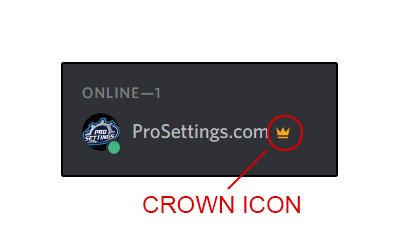
If you do not like to show off that you are the server owner, there is a workaround to remove the crown icon from being displayed next to your name.
The crown will automatically disappear if another role has the administrator permission and is hoisted. Hoisted just means that it is the role is displayed separately from other members.
How to remove the crown icon for Discord owners
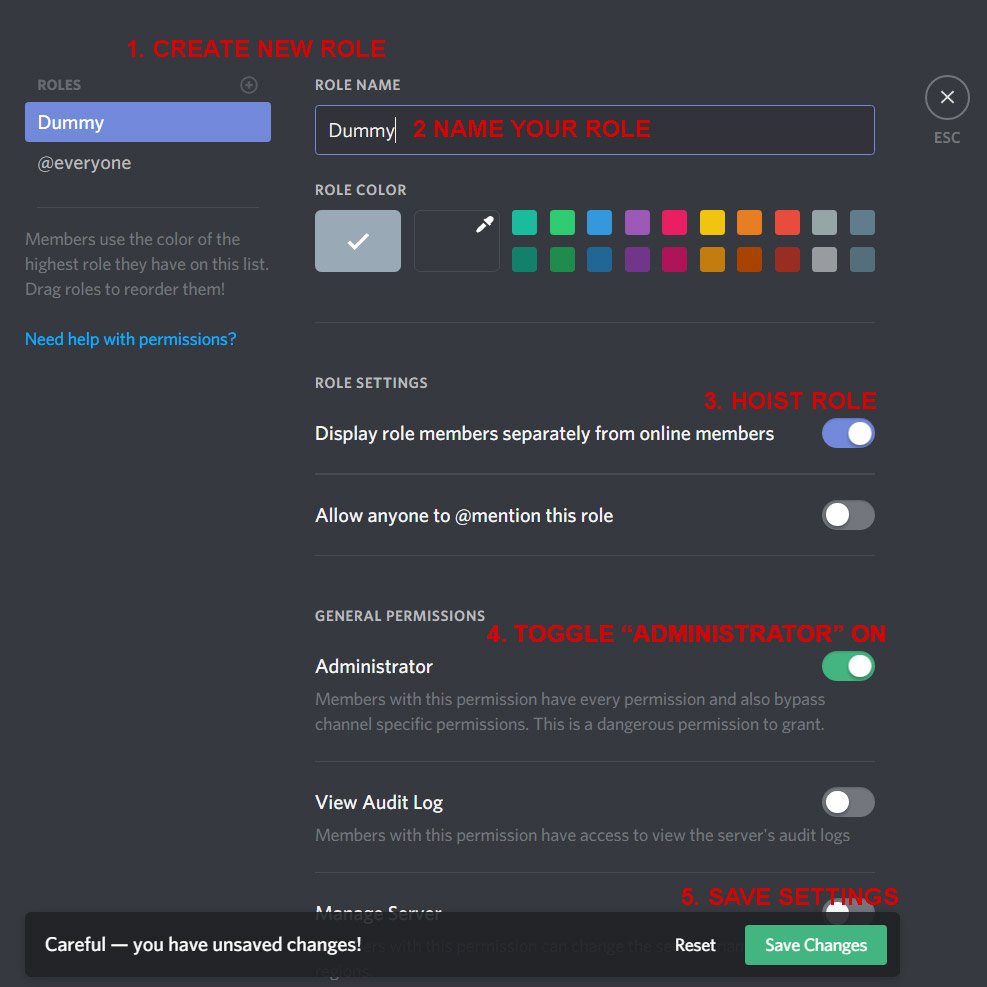
This required that you give a role the administrator privilege. If you do not want anyone to become administrators, you can simply make a dummy role.
Step by step guide:
- Go to Server Settings
- Click on Roles
- Click on the little + sign to create a new role
- Give your new role a name, for example, “Dummy” to indicate that the role should not be used
- Toggle “Display role members separately from online members” on
- Toggle “Administrator” on
- Click on Save Changes
- Restart Discord and the crown should be gone!
Please note that should you give this role to any member, they will be granted administrator access. This means that they will get every permission available and also bypass channel specific permissions. They will be able to change almost anything in the server and also create new administrator roles. Therefore, you should really trust people you give this role, or not give anyone this role in the first place.
Visual guide:
We hope this guide/tutorial helped you remove the crown icon. If you have any questions, please leave a comment below.
how to enable it ?
Add the role to the person with the crown
Lately this requires you to log out and back in of Discord afterwards to see the changes.
Does this still work?
And how do i reverse it?
If you delete the “dummy” role and reload discord the crown returns
Worksss!! thankss
still works. just gotta restart discord by pressing ctrl+r
the MUCH simpler way is to create a second “Admin” profile, transfer the server ownership to that profile, and only use it ….for admin stuff 😉
i cant see it?